Contactless ordering: the guest orders, you keep control
Contactless ordering means the guest places the order themselves, on their own phone or on a screen in your venue, without waiting for a server to come by. In hospitality there are three forms: a QR code on the table, a self-order kiosk at the counter or the entrance, and online ordering through your own webshop for pickup and delivery. In a good restaurant POS system all three land on the same POS, so the kitchen sees one stream of tickets and the end-of-day report adds up.
Which form fits depends on how your guests order. If they sit for an evening and order several rounds, a QR code on the table is the obvious choice. If they queue at the counter, a kiosk breaks up that queue. If they mostly order from the sofa at home, the webshop is the one that matters. Many venues combine two.
QR code on the table: for venues where guests stay seated
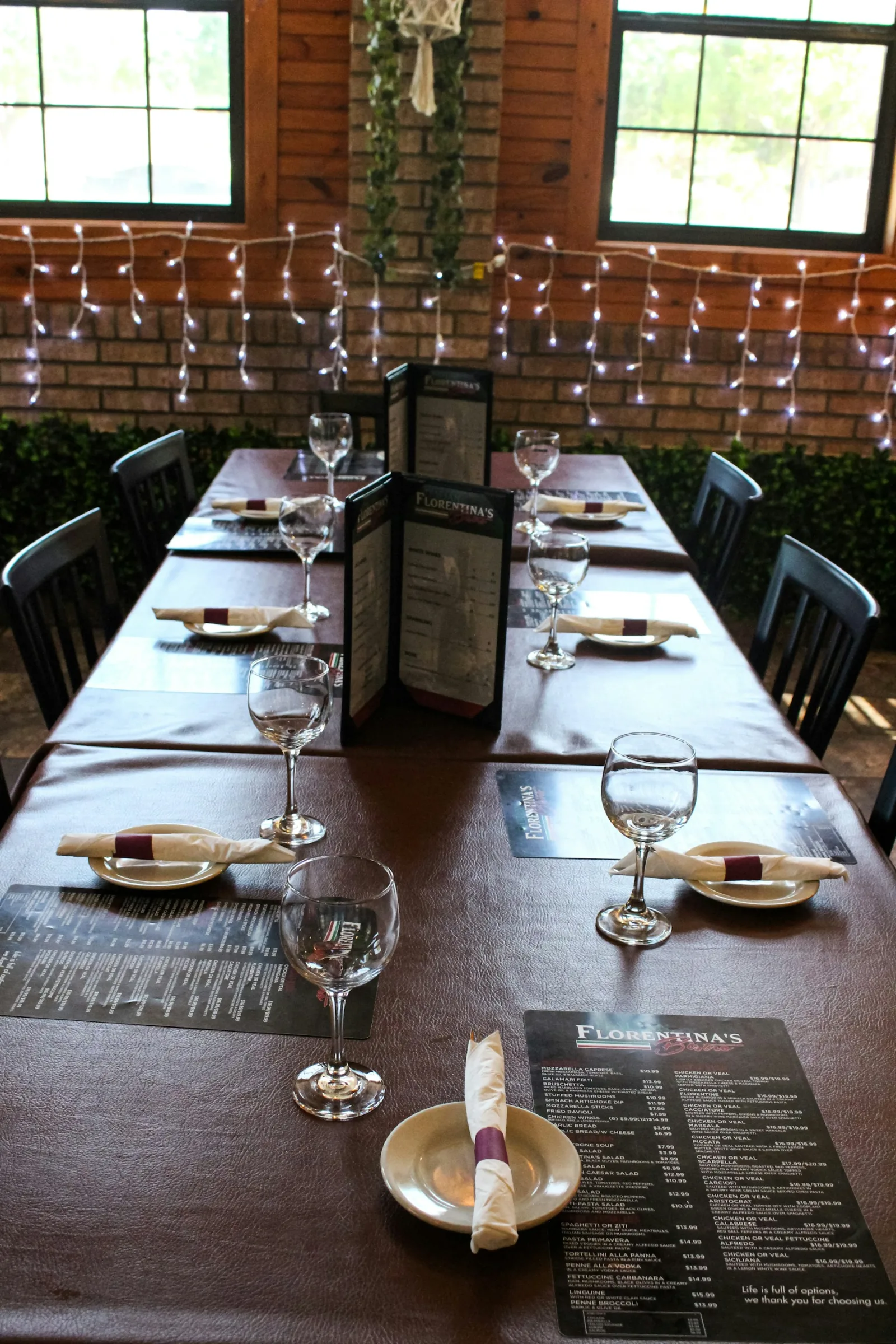
Every table has a card or sticker with a code. The guest scans it, sees your menu on their phone and orders. The order appears on the POS, a server approves it with one tap and the ticket goes to the kitchen or the bar. Everything lands on the same bill as what you ring up yourself, so paying works exactly as it does now.
An example: Saturday afternoon, full terrace, two people on the floor. Table 12 wants a second round. Without QR they wait until someone passes. With QR the round is already on the POS before the server is back on the terrace, and nobody has to wave.
Two buttons finish it off: call a server and ask for the bill. On the POS you see which table it is and how long they have been waiting.
The question everyone asks: can someone photograph that sticker and order from home? Not if it is set up properly. The code only works while the table is open on the POS. Once the bill is closed, the code does nothing. How that works in detail is in [QR ordering at the table: how do you stop someone ordering from the sofa?](/en/blog/qr-code-ordering-at-the-table).
Self-order kiosk: for the counter and the queue
A kiosk is a tablet on a stand where the guest orders themselves. They get an order number and pay at the counter or on the payment terminal next to the kiosk. The order goes straight to the POS and the kitchen, like an order you ring up yourself.
This is the form for a lunchroom, snack bar or coffee bar with a lunch rush. Between twelve and half past one there are ten people in line and everyone behind the counter is busy keying in orders instead of making them. A kiosk takes the ordering out of that line: whoever knows exactly what they want taps it in themselves, and the counter has time left for taking payments and preparing.
A guest who browses the menu at their own pace also chooses more calmly: the extra sauce or the large size is simply a choice on the screen. What a kiosk does not do is empty the counter. Someone still has to take payments, call out order numbers and keep an eye on a guest who gets stuck halfway.
Webshop: ordering from the sofa, but for pickup and delivery
The third form is online ordering through your own webshop, with your own domain, iDEAL and gift cards. The guest orders at home, chooses pickup or delivery and pays straight away. The order appears on the POS and goes from there to the kitchen, without anyone retyping it from a phone or a separate tablet.
In the settings you set ordering hours and delivery zones, and you can close the webshop temporarily when the kitchen gets too busy, with a time at which it reopens by itself. A dish that has run out you switch off online only, while the POS keeps selling it. How to set that up is in [Setting up your webshop: domain, hours and delivery](/en/kb/horeca-manager/webshop-instellen).
The difference with ordering through a delivery platform: it is your webshop, your customer and your menu, with no commission per order.
What contactless ordering asks of your menu and your kitchen
In every form the guest orders without a server explaining anything. So your menu has to stand on its own. A product called "Special" means nothing to a guest when nobody is there to describe it. Write a short description, add the choices you now handle verbally (no onion, extra cheese, well done) as options on the product, and keep availability up to date: what has run out has to come off the screen.
Orders from the table, the kiosk and the webshop arrive on the same POS and the same kitchen display as the orders you take yourself. The cook sees no difference between a ticket from a server and a ticket from table 12 via QR. What you do want is a kitchen display that shows tickets in order, so a webshop order for an hour from now does not end up between the tickets for right now. More on that in [Kitchen display systems: more control during every service](/en/blog/keuken-display-systeem-horeca).
What it costs
With Deskly POS the webshop is part of the Basis plan (€150 per month, excluding VAT). QR ordering at the table and the self-order kiosk are in PRO (€225 per month, excluding VAT), together with the delivery links. There is no charge per extra device, so a second iPad for the kiosk does not need an extra subscription. The tablet and stand for a kiosk are on the [hardware page](/en/hardware); leasing starts at €65 per month.
On top of that, count on the stickers or cards for the tables and an hour to go through your menu for descriptions and options.
What it is not
Contactless ordering is not a way to run with fewer staff. Every order still has to be approved, made and brought to the table. What it does is separate ordering from the moment a server happens to walk past.
Keep the normal route open too. Some of your guests prefer to order from a person. It is an extra way into your kitchen, not a replacement for your staff.
Frequently asked questions
Is contactless ordering the same as contactless payment?
No. Contactless payment is about settling the bill: holding a card or phone against the terminal. Contactless ordering is about taking the order: the guest chooses, without a server. What to offer at checkout is in [Payment methods for restaurants, cafés and bars](/en/blog/payment-methods-hospitality).
Can someone order from home with a photographed QR code?
Not when the code is tied to the table's status on the POS. The code only works while a server has opened that table; after the bill is paid it does nothing.
How do you check the age for alcohol when the guest orders themselves?
Under Dutch rules you may not sell alcohol to guests under 18. With QR ordering, approval on the POS is the moment to check: the order from table 4 with two beers only goes to the bar once a server taps to approve it, and that is when you look at who is sitting there. So do not set that approval to automatic.
Do I need a separate POS for a kiosk?
No. The kiosk is a tablet on a stand connected to the same POS as the rest of your venue. Orders arrive on the POS and in the kitchen with an order number, and the guest pays at the counter or on the payment terminal next to the kiosk.
Which form do you pick if you can only introduce one?
Look at where your staff lose the most time right now. If it is the trips past tables wanting a second round, start with QR at the table. If it is the queue at the counter, start with the kiosk. If you get a lot of phone calls for pickup, start with the webshop.
Try it yourself
Want to see how a QR order arrives on the POS and how you approve it? Start a free 30-day trial and put a table code on your own table.